With the Zoom integration in IQ-Technoligies, you can schedule video meetings directly from the platform with just a few clicks. Here's how it works:
After logging in to IQ-Technoligies, navigate to the user list. You'll see a camera icon on the right side of each user entry.
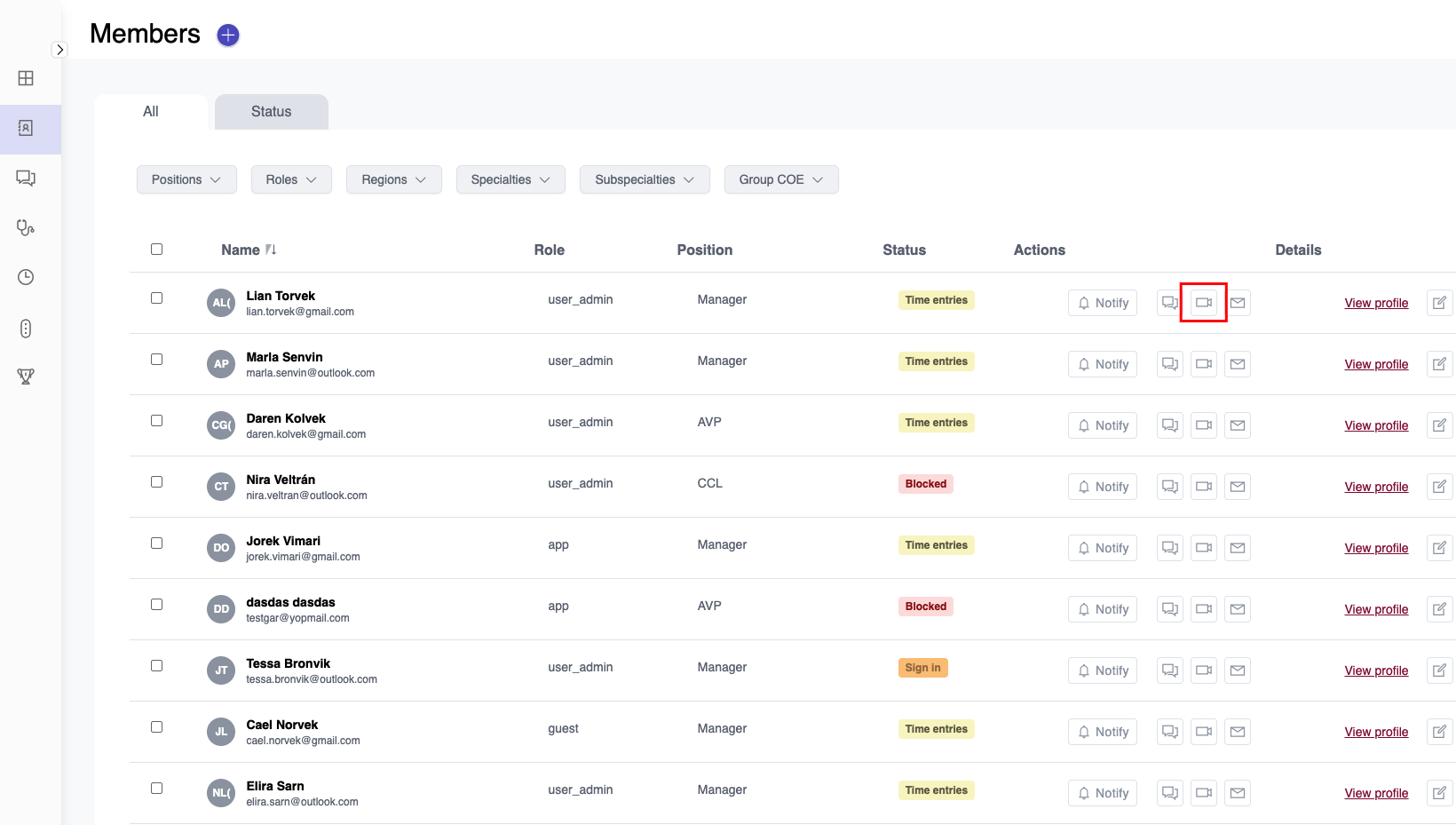
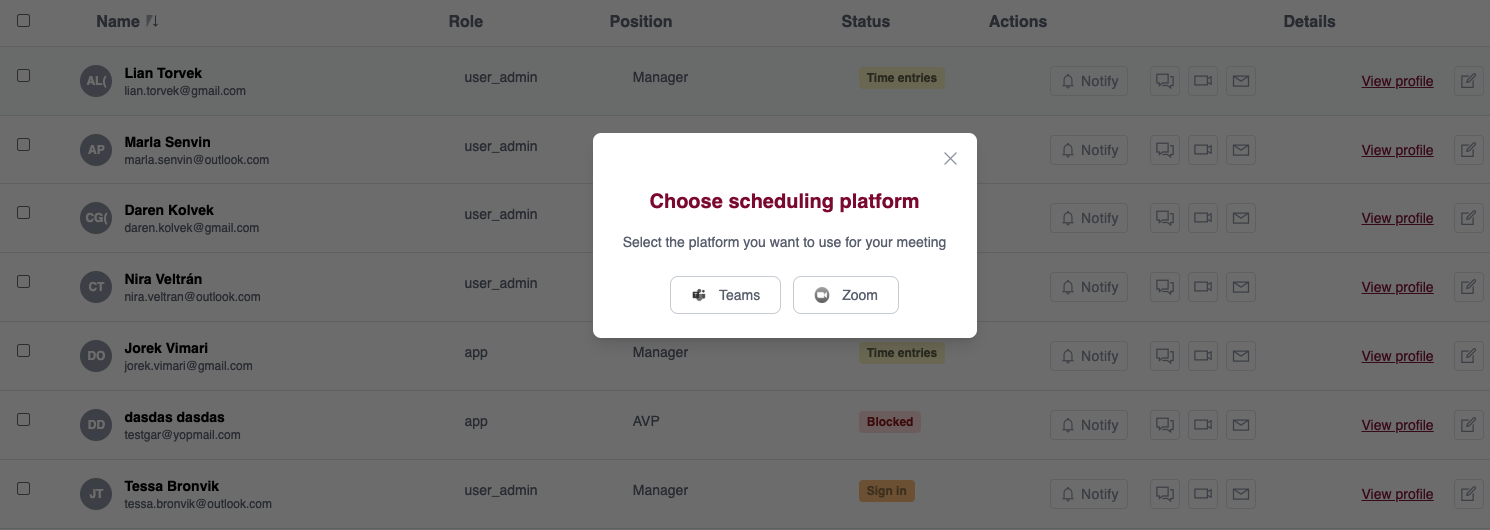
Click the camera icon to open a modal with two platform options: Zoom and Microsoft Teams.
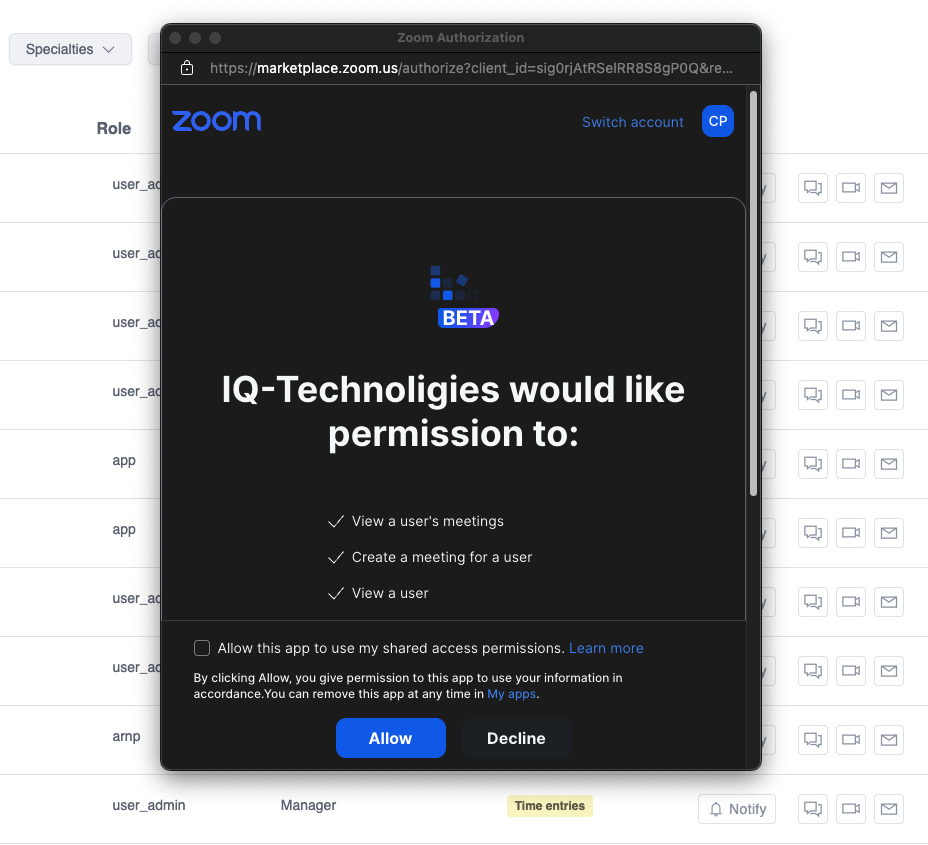
When you click on the Zoom button, a pop-up window will appear asking you to log in and authorize the app to use your Zoom account.
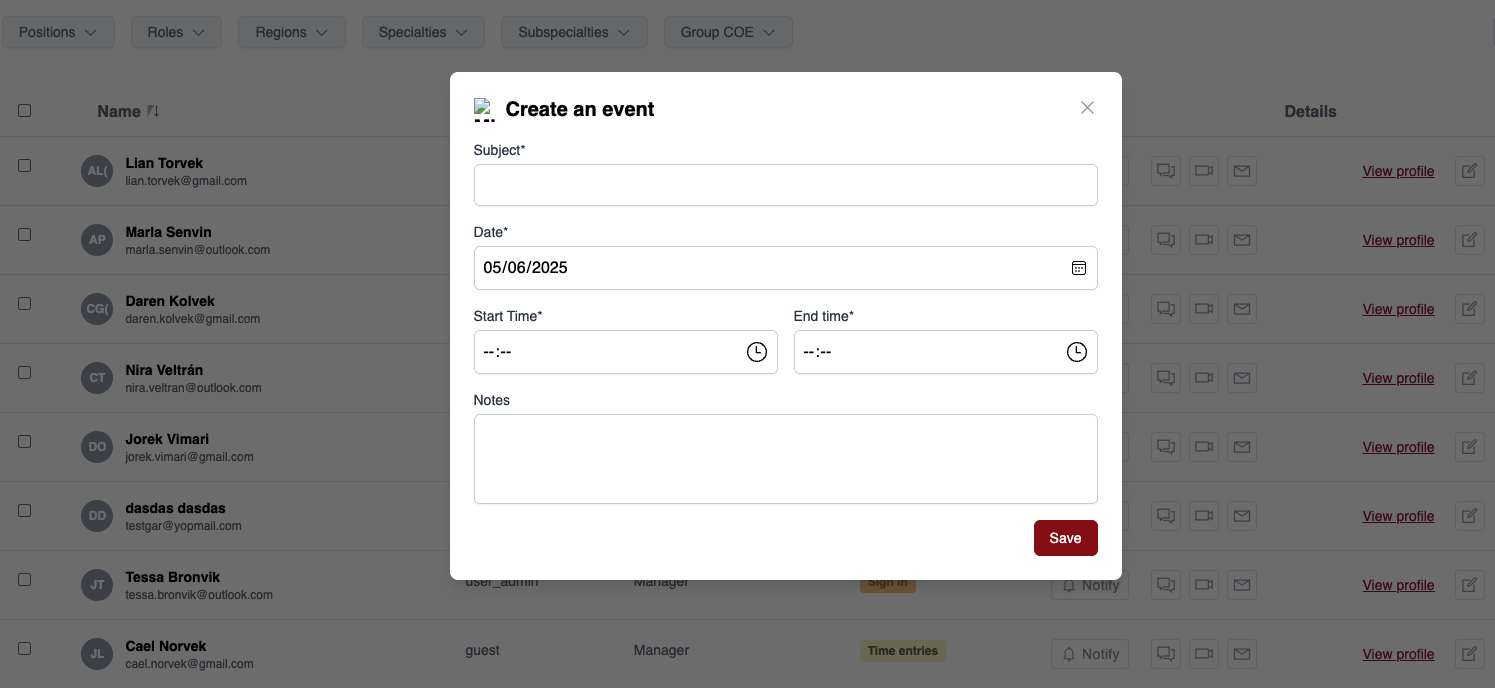
After authenticating, a new modal will appear where you can fill in the meeting details:
Once you've entered the information, click Create Meeting to schedule it in your Zoom account.
The logout button for Zoom (and Teams) will only appear in the first modal if you're currently authenticated with that platform. Click it to disconnect your account.

If you're having trouble with the integration, make sure:
Still need help? Contact our support team at support@iq-technologies.com.